Executive Summary & Key Architectural Rules:
- The 33% Payload Penalty: Base64 encodes 3 binary bytes into 4 ASCII characters, resulting in a guaranteed 33.3% payload size increase before compression.
- UTF-8 Percent-Encoding Outperforms Base64: For CSS
background-imageand HTML<img>, percent-encoded UTF-8 strings (data:image/svg+xml,%3Csvg...) are 25%–35% lighter than Base64 and compress better under Brotli/Gzip. - The CSS Hex Hash Trap: When using raw or UTF-8 Data URIs in CSS, raw
#symbols in color codes (e.g.#C1DD2D) break rendering because CSS treats hashes as URL fragments. Always escape them as%23. - Core Web Vitals Impact: Embedding critical UI icons as Data URIs eliminates HTTP roundtrips, reducing Cumulative Layout Shift (CLS), but overusing Data URIs in CSS bundles inflates render-blocking stylesheets, delaying Largest Contentful Paint (LCP).
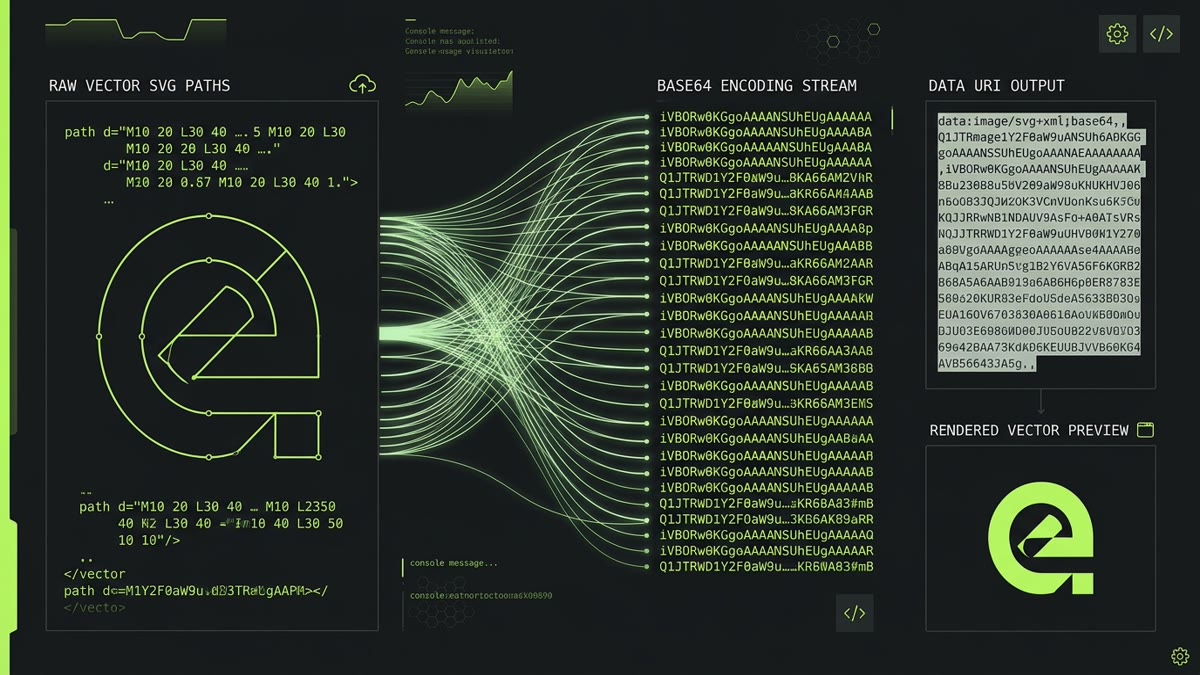
In modern frontend architecture, developers frequently need to embed vector icons directly into stylesheets, HTML templates, or JavaScript bundles without triggering additional HTTP round-trips. Converting an SVG into a Data URI or Base64 string enables instant rendering, simplifies deployment, and eliminates layout flickering.
However, many engineering teams blindly wrap SVGs in data:image/svg+xml;base64,... without realizing that Base64 introduces a significant file size penalty, hurts Gzip compression ratios, and complicates visual debugging. In this definitive guide, we analyze the mathematics of Base64 encoding, compare it to modern UTF-8 URL encoding, explore CSS and React integration patterns, evaluate browser security implications, and provide a client-side interactive converter.
Interactive SVG to Base64 & Data URI Converter Studio
Test real-time encoding below. Select an icon preset or paste your own raw SVG code. Compare payload sizes, toggle between Base64 and UTF-8 Percent-Encoding, and copy production-ready CSS, HTML, or raw strings.
Anatomy of an SVG Data URI: Base64 vs. UTF-8
A Data URI allows you to inline an external asset directly into an attribute or CSS property using the data: scheme defined in RFC 2397. For Scalable Vector Graphics, there are two distinct variations:
1. Base64 Encoded Data URI
Base64 treats the SVG XML string as a sequence of raw bytes, encoding each group of 6 bits into an ASCII character selected from an index of 64 characters (A-Z, a-z, 0-9, +, /, and padding =):
background-image: url("data:image/svg+xml;base64,PHN2ZyB4bWxucz0iaHR0cDovL3d3dy53My5vcmcvMjAwMC9zdmciIHZpZXdCb3g9IjAgMCAyNCAyNCIgZmlsbD0ibm9uZSIgc3Ryb2tlPSIjQzFERDIiIHN0cm9rZS13aWR0aD0iMiI+PHBhdGggZD0iTTIxIDE2VjhhMiAyIDAgMCAwLTEtMS43M2wtNy00YTIgMiAwIDAgMC0yIDBsLTcgNGEyIDIgMCAwIDAtMSAxLjczdjhhMiAyIDAgMCAwIDEgMS43M2w3IDRhMiAyIDAgMCAwIDIgMGw3LTRBMiAyIDAgMCAwIDIxIDE2eiIvPjwvc3ZnPg==");2. Percent-Encoded (URL-Encoded) UTF-8 Data URI
Because SVG is text-based XML, browsers do not require binary Base64. You can pass raw UTF-8 text directly to the browser parser, provided you percent-encode reserved characters such as #, %, and quotes:
background-image: url("data:image/svg+xml,%3Csvg xmlns='http://www.w3.org/2000/svg' viewBox='0 0 24 24' fill='none' stroke='%23C1DD2D' stroke-width='2'%3E%3Cpath d='M21 16V8a2 2 0 0 0-1-1.73l-7-4a2 2 0 0 0-2 0l-7 4A2 2 0 0 0 3 8v8a2 2 0 0 0 1 1.73l7 4a2 2 0 0 0 2 0l7-4A2 2 0 0 0 21 16z'/%3E%3C/svg%3E");The 33% Payload Penalty & Compression Reality
A common misconception among frontend developers is: "Gzip compresses Base64 so well that the 33% inflation doesn't matter." In production web architecture, this assumption is measurably incorrect.
HTTP compression algorithms (such as DEFLATE/Gzip and Brotli) rely on two fundamental techniques:
- LZ77 Sliding Window: Replaces repeated byte sequences with backwards distance-length pointers.
- Huffman Coding: Assigns shorter bit sequences to frequently occurring characters.
In standard SVG code, XML tags like <path d="..." fill="currentColor"> contain highly repetitive ASCII patterns. Gzip identifies these strings easily and achieves compression ratios between 65% and 80%.
When you convert an SVG into Base64, the character distribution is randomized across the 64-character alphabet. This breaks the repetitive byte sequences, causing LZ77 to find significantly fewer matches. As a result, while Base64 does compress, the resulting transfer size over the wire remains 15% to 25% larger than Gzipped raw or URL-encoded SVG.
| Format / Method | Raw Uncompressed Size | Gzip Wire Size | Brotli Wire Size | Developer Readability |
|---|---|---|---|---|
| External .svg File | 340 Bytes | 185 Bytes | 155 Bytes | Full (Readable XML) |
| UTF-8 Percent-Encoded Data URI | 412 Bytes | 210 Bytes | 175 Bytes | High (Inspectable in DevTools) |
| Base64 Encoded Data URI | 456 Bytes | 265 Bytes | 225 Bytes | Zero (Opaque Hash String) |
CSS Implementation: Backgrounds, Masks & Hex Escapes
Embedding vector graphics directly in CSS is ideal for micro-decorations, custom select dropdown arrows, accordion toggles, and form validation badges. Here are the core patterns:
1. CSS background-image with URL-Encoded SVG
When writing CSS, enclose the Data URI in double quotes ("...") and use single quotes ('...') inside the SVG attributes to avoid escaping quotes:
.select-dropdown {
  appearance: none;
  background-image: url("data:image/svg+xml,%3Csvg xmlns='http://www.w3.org/2000/svg' viewBox='0 0 20 20' fill='%23C1DD2D'%3E%3Cpath d='M5.293 7.293a1 1 0 011.414 0L10 10.586l3.293-3.293a1 1 0 111.414 1.414l-4 4a1 1 0 01-1.414 0l-4-4a1 1 0 010-1.414z'/%3E%3C/svg%3E");
  background-repeat: no-repeat;
  background-position: right 14px center;
  background-size: 16px 16px;
  padding-right: 40px;
}
Critical Bug: The CSS Hash Identifier Trap
If you write fill='#C1DD2D' inside an unencoded Data URI, Firefox, Safari, and Chrome will fail to render the image. Browsers interpret the # character as an anchor fragment identifier, cutting off everything that follows. Always replace # with %23.
2. CSS mask-image for Dynamic Theming
A major drawback of Data URIs in background-image is that the icon color is hardcoded in the string. You cannot use currentColor or hover color changes easily. The solution is mask-image:
.themed-icon {
  display: inline-block;
  width: 20px;
  height: 20px;
  background-color: #C1DD2D; /* Default icon color */
  -webkit-mask-image: url("data:image/svg+xml,%3Csvg xmlns='http://www.w3.org/2000/svg' viewBox='0 0 24 24'%3E%3Cpath d='M12 2L2 7l10 5 10-5-10-5zM2 17l10 5 10-5M2 12l10 5 10-5'/%3E%3C/svg%3E");
  mask-image: url("data:image/svg+xml,%3Csvg xmlns='http://www.w3.org/2000/svg' viewBox='0 0 24 24'%3E%3Cpath d='M12 2L2 7l10 5 10-5-10-5zM2 17l10 5 10-5M2 12l10 5 10-5'/%3E%3C/svg%3E");
  -webkit-mask-repeat: no-repeat;
  mask-repeat: no-repeat;
  -webkit-mask-size: contain;
  mask-size: contain;
  transition: background-color 150ms ease;
}

.themed-icon:hover {
  background-color: #FFFFFF; /* Smooth hover transition without swapping Data URIs */
}
HTML, React & Build Tool Integration
Beyond CSS stylesheets, Data URIs can be used directly in HTML markup and framework components:
1. HTML <img> Tag Embedding
Data URIs work inside standard image elements. Because the image data is self-contained, no network request is sent to the server:
<img
  src="data:image/svg+xml;base64,PHN2ZyB4bWxucz0iaHR0cDovL3d3dy53My5vcmcvMjAwMC9zdmciIHZpZXdCb3g9IjAgMCAyNCAyNCI+PHBhdGggZD0iTTUgMTNsNCA0TDE5IDciIHN0cm9rZT0iI0MxREQyRCIgc3Ryb2tlLXdpZHRoPSIyIi8+PC9zdmc+"
  alt="Verified Checkmark"
  width="24"
  height="24"
  loading="eager"
/>
2. Vite & Webpack URL Inlining
Modern bundlers like Vite and Webpack allow you to automatically convert imported SVG files into Base64 Data URIs if they are below a specific threshold (e.g. 4KB):
// vite.config.js
export default {
  build: {
    assetsInlineLimit: 4096 // Files below 4KB inlined as Base64 Data URIs
  }
};
Security & XSS Considerations
Because SVG is an XML dialect, it supports embedded executable script tags (<script>) and inline event listeners (e.g. onload, onerror). When handling user-generated or third-party SVGs, you must understand browser execution contexts:
- CSS Background & <img> Context: When an SVG Data URI is rendered via
background-imageor an<img>tag, modern browsers place the graphic in a strictly sandboxed image context. Script execution is completely disabled, cookies cannot be read, and external network requests are blocked. This context is safe from XSS. - <object>, <iframe>, and <embed> Context: If an SVG Data URI containing a script is injected into an
<object data="data:image/svg+xml;...">or an<iframe>, the browser treats it as a nested active document. Scripts can execute in the origin's security context! - Content Security Policy (CSP): If your site enforces a strict CSP like
img-src 'self', browsers will block Data URIs unless you explicitly permit them viaimg-src 'self' data:;.
Core Web Vitals & Performance Trade-Offs
Data URIs are not a silver bullet. While they eliminate HTTP requests, they shift the burden to parse and render time:
When to Use Data URIs vs. External Files
Use Data URIs when:
- The vector graphic is small (< 2KB) and critical to the initial viewport (e.g. header logo, search icon, hamburger menu).
- You need zero-layout-shift (CLS) rendering before external resources finish downloading.
- You are building an isolated standalone component or email newsletter template.
Avoid Data URIs when:
- You have dozens of icons across secondary pages (inlining them bloats your main CSS bundle, increasing LCP).
- The graphics are large or complex (> 5KB).
- You want browser HTTP disk caching across multi-page navigation.
Frequently Asked Questions
Why is Base64 encoded SVG larger than raw SVG markup?
Base64 encodes every 3 bytes (24 bits) of data into 4 ASCII characters (6 bits each). This mathematical 4/3 ratio creates a mandatory 33.3% file size inflation in raw character count before HTTP compression. When using UTF-8 percent-encoding instead of Base64, only special characters like hashes, percent signs, and quotes are escaped, yielding a significantly smaller payload.
When should you use UTF-8 URL encoding instead of Base64 for SVG Data URIs?
UTF-8 percent-encoding (data:image/svg+xml,%3Csvg...) should almost always be preferred over Base64 for web CSS and HTML because it produces 25% to 35% smaller raw strings, compresses exceptionally well under Brotli and Gzip, and keeps the XML code human-readable for debugging. Base64 is only strictly necessary when embedding in XML environments that reject angle brackets or older legacy email clients.
How do you fix broken CSS background-image SVGs containing hex colors?
In CSS url() data URIs, the hash character (#) used in hex color codes (like #C1DD2D) is parsed by browsers as a URL fragment identifier, which truncates the SVG data and breaks rendering. You must URL-encode the hash symbol as %23 (e.g. fill='%23C1DD2D') to ensure cross-browser rendering.
Does inlining SVG via Base64 or Data URIs improve Core Web Vitals?
It is a double-edged sword. Inlining a small icon (under 2KB) as a Data URI eliminates a round-trip HTTP request, preventing Cumulative Layout Shift (CLS) and speeding up First Contentful Paint. However, inlining dozens of large SVGs inflates the main CSS or HTML bundle, creating render-blocking payload weight that degrades Largest Contentful Paint (LCP) and delays Time to Interactive.
Can SVGs embedded in CSS background Data URIs execute malicious JavaScript (XSS)?
When an SVG is loaded via a CSS background-image Data URI or an HTML img tag, modern browsers place the graphic in a strictly sandboxed image context where script execution (script tags, onclick handlers, and onload events) and external resource fetching are completely disabled. However, if untrusted SVG Data URIs are placed in object, iframe, or direct anchor tags, scripts can execute, requiring sanitization.
How does Gzip and Brotli compression affect Base64 versus URL-encoded SVGs?
While HTTP compression (Gzip/Brotli) reduces the transfer size of both formats, URL-encoded SVGs still compress to a smaller wire size than Base64. This occurs because the repeated XML tag patterns in plain or URL-encoded SVGs allow LZ77 dictionary compressors to find longer repetitive matches compared to the pseudo-random character distribution of Base64 strings.