Font Awesome vs Bootstrap Icons: The Definitive 2026 Comparison
The Quick Verdict: For modern web development, SaaS applications, and React/Next.js/Tailwind stacks in 2026, Bootstrap Icons is the decisive winner. While Font Awesome remains a colossal brand name, its aggressive $99/year commercial paywalls, complex Kit CDN dependencies, and legacy web font baggage make it a liability for performance-minded engineering teams.
- Bootstrap Icons: 100% Free MIT, 2,090+ pixel-perfect icons, strict 16x16 grid, pure SVG-first architecture, zero subscriptions.
- Font Awesome: Freemium model with ~2,000 free glyphs and 20,000+ icons gated behind $99/yr Pro tier, em-box font typography grid, FOIT rendering penalties.
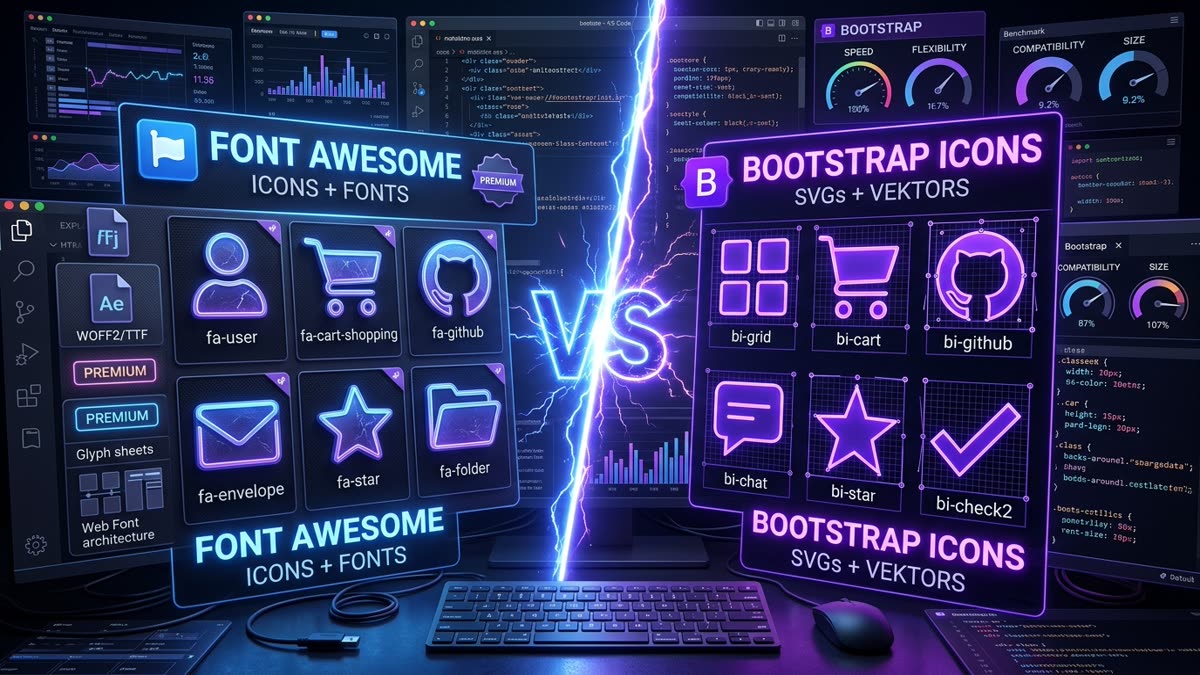
Font Awesome (v6 / v7)
- Free Glyphs: ~2,000 basic icons
- Pro Glyphs: 20,000+ locked behind $99/yr
- License: SIL OFL 1.1 / Proprietary Commercial
- Grid System: Typographic em-box (variable widths)
- Primary Architecture: Web Fonts (WOFF2) & SVG JS Kits
- Alignment: Needs
.fa-fwhacks to align vertically
Bootstrap Icons (v1.11+)
- Free Glyphs: 2,090+ icons (All Free)
- Pro Tier: None. Zero paywalls forever
- License: 100% MIT (Commercial use approved)
- Grid System: Rigid 16×16 pixel-perfect grid
- Primary Architecture: Standalone SVGs, React, & Sprites
- Alignment: Native 1em baseline vertical centering
1. Comprehensive Head-to-Head Scorecard
Before diving into deep architectural benchmarks, here is how both libraries compare across the ten most critical criteria for professional engineering teams:
| Evaluation Dimension | Font Awesome Free | Font Awesome Pro | Bootstrap Icons | Advantage |
|---|---|---|---|---|
| Total Icon Count | ~2,000 glyphs | 20,000+ glyphs | 2,090+ glyphs | Font Awesome Pro (Volume) |
| Pricing & Licensing | Free (OFL / CC) | $99/year per seat | 100% Free MIT | Bootstrap Icons |
| Paywall Gating | Most variants locked | Full access | Zero paywalls | Bootstrap Icons |
| Baseline Grid System | Typographic em-box | Typographic em-box | Strict 16×16 grid | Bootstrap Icons |
| Rendering Format | Web Font / SVG-JS | Web Font / SVG-JS | Pure SVG First | Bootstrap Icons |
| FOIT / FOUT Risk | High (Web Font) | High (Web Font) | Zero (Inline SVG) | Bootstrap Icons |
| React Tree-Shaking | Moderate (Complex wrappers) | Moderate | Flawless (Subpaths) | Bootstrap Icons |
| Design System Autonomy | Requires Kit Account | Kit Token Locked | 100% Self-Hosted | Bootstrap Icons |
| Tailwind CSS Fit | Clunky font classes | Clunky font classes | Native SVG utilities | Bootstrap Icons |
| Search & Export on IconStash | Not indexed (Proprietary) | Not indexed | Indexed (2,090 SVGs) | Bootstrap Icons |
2. Licensing & The $99/Year Pro Paywall Trap
The single greatest point of friction with Font Awesome today is commercial licensing and feature gating. In the early days of web development (v3 and v4), Font Awesome was synonymous with free open-source software. However, beginning with version 5 and accelerating through version 6 and 7, Font Awesome transformed into a commercial SaaS product.
The Font Awesome Freemium Model
While Font Awesome maintains a "Free" tier, developers quickly encounter frustrating limitations:
- Gated Weights & Styles: Essential style variants such as Light, Thin, Duotone, Sharp, and Sharp Solid are strictly locked behind Font Awesome Pro. If your product designer specs a Light outline icon, you either pay $99/year or mix in another library.
- Gated Essential Glyphs: Common SaaS metaphors (e.g. specialized medical, chart, or e-commerce icons) frequently have their best-crafted iterations marked as Pro-only.
- Seat Licenses & Kit Pageviews: Font Awesome Pro pricing is billed per seat ($99/year for standard teams, escalating higher for enterprise) and imposes monthly pageview quotas on their Kit CDN service.
The Bootstrap Icons Guarantee: 100% Free MIT Forever
In contrast, Bootstrap Icons was created by Mark Otto and the Bootstrap core team with one uncompromising philosophy: 100% free, 100% open-source, forever.
- MIT License: You can bundle, fork, modify, commercialize, and distribute Bootstrap Icons in closed-source SaaS products, client projects, and mobile apps with zero attribution requirements.
- Zero Tiering: Every single one of the 2,090+ icons is available to every developer without signing up for an account, copying API kit tokens, or entering a credit card.
3. Optical Grids: 16×16 Baseline vs Typographic Em-Box
A major technical difference that impacts front-end layout is how each library defines its vector coordinates:
[Font Awesome] ──> viewBox="0 0 512 512" (Typographic em-box with proportional widths)
Bootstrap Icons: The 16×16 Integer Alignment
Bootstrap Icons is drawn on a strict 16×16 baseline grid. Because 16 divides cleanly into standard web typographic sizes (16px body, 24px buttons, 32px toolbars, 48px hero headers), strokes align precisely with physical screen pixels. There is zero subpixel anti-aliasing blur when rendered at standard button heights.
Font Awesome: The Em-Box Alignment Headache
Because Font Awesome originated as a TrueType/WOFF font glyph set, its vectors are designed like letterforms. Different glyphs have different natural widths (a thin fa-ellipsis-vertical is 128 units wide, while a wide fa-envelope is 512 units wide).
When placed in navigation sidebars or dropdown menus, this proportional width causes misalignments unless you manually apply fixed-width utility classes like .fa-fw everywhere in your markup:
<!-- ⚠️ Font Awesome needs .fa-fw to prevent jagged alignment -->
<ul class="nav">
  <li><i class="fa-solid fa-house fa-fw"></i> Home</li>
  <li><i class="fa-solid fa-user fa-fw"></i> Profile</li>
  <li><i class="fa-solid fa-gear fa-fw"></i> Settings</li>
</ul>

<!-- 🚀 Bootstrap Icons aligns naturally with zero extra classes -->
<ul class="nav">
  <li><i class="bi bi-house"></i> Home</li>
  <li><i class="bi bi-person"></i> Profile</li>
  <li><i class="bi bi-gear"></i> Settings</li>
</ul>
4. Web Performance: Web Fonts (FOIT/FOUT) vs Pure SVG
Web performance in 2026 is strictly measured by Google's Core Web Vitals (INP, LCP, CLS). How icons are rendered to the screen directly dictates whether your site passes or fails these audits.
The Web Font Penalty: FOIT, FOUT & Layout Shift
When you include Font Awesome via traditional web font stylesheets (all.min.css + fa-solid-900.woff2):
- Render-Blocking CSS: The browser halts rendering while downloading the external stylesheet.
- FOIT (Flash of Invisible Text): The browser holds a 3-second invisible text timeout while waiting for the 140KB WOFF2 font file to download over mobile 4G. Icons render as blank empty squares.
- FOUT (Flash of Unstyled Text) & Layout Shift: If fallback fonts kick in, icons briefly display as unmapped Unicode mojibake characters (e.g.
), causing noticeable Cumulative Layout Shift (CLS) once the font snaps in.
The Pure SVG Advantage
Bootstrap Icons is an SVG-first project. When imported into React, Vue, or inline HTML:
- Instant Paint: The SVG path code is parsed immediately as DOM elements during initial HTML paint. Zero network round-trips. Zero FOIT. Zero layout shift.
- Tree-Shaking: If your application only uses 10 icons, your build tool bundles only those 10 SVG paths (~3.5 KB) instead of forcing users to download an entire 180 KB font catalog.
5. Modern Framework Ecosystem: React, Next.js & Tailwind CSS
React Component Comparison
Integrating icons into modern React 19 and Next.js 15 applications reveals a stark difference in DX and bundle ergonomics:
// ❌ Font Awesome: Complex wrapper with bloated fontawesome-svg-core
import { FontAwesomeIcon } from '@fortawesome/react-fontawesome';
import { faCheckCircle } from '@fortawesome/free-solid-svg-icons';

export function StatusBadge() {
  return <FontAwesomeIcon icon={faCheckCircle} className="text-emerald-500" />;
}

// 🚀 Bootstrap Icons: Direct native React component or pure inline SVG
import { CheckCircleFill } from 'react-bootstrap-icons';

export function StatusBadge() {
  return <CheckCircleFill className="text-emerald-500" size={20} />;
}
Tailwind CSS v4 Integration
In modern Tailwind CSS development, Bootstrap Icons fits seamlessly into utility-first workflows. Because Bootstrap Icons are clean standalone SVGs, they inherit currentColor automatically and respond directly to standard Tailwind stroke, fill, and size utilities:
<!-- Tailwind CSS v4 with Bootstrap Icons -->
<svg class="w-5 h-5 text-lime-400 hover:text-lime-300 transition-colors" fill="currentColor" viewBox="0 0 16 16">
  <path d="M8 0a8 8 0 1 1 0 16A8 8 0 0 1 8 0zM4.5 7.5a.5.5 0 0 0 0 1h7a.5.5 0 0 0 0-1h-7z"/>
</svg>
6. Step-by-Step Migration Playbook: Font Awesome to Bootstrap Icons
If your legacy application is currently weighed down by Font Awesome, migrating to Bootstrap Icons is straightforward. Because both libraries share universal semantic naming conventions, 90% of glyphs can be migrated using automated search-and-replace rules:
| Concept | Font Awesome Class | Bootstrap Icons Class | IconStash Direct SVG Link |
|---|---|---|---|
| Home | fa-solid fa-house |
bi bi-house |
View 24+ Home SVGs |
| Search | fa-solid fa-magnifying-glass |
bi bi-search |
View 24+ Search SVGs |
| Settings | fa-solid fa-gear |
bi bi-gear |
View 24+ Gear SVGs |
| User Profile | fa-solid fa-user |
bi bi-person |
View 24+ User SVGs |
| Envelope / Mail | fa-solid fa-envelope |
bi bi-envelope |
View 24+ Mail SVGs |
| Shopping Cart | fa-solid fa-cart-shopping |
bi bi-cart |
View 24+ Cart SVGs |
| Checkmark | fa-solid fa-check |
bi bi-check2 |
View 24+ Check SVGs |
3-Step Migration Process:
- Remove Font Awesome Assets: Delete
@fortawesome/*dependencies frompackage.jsonor purge the Font Awesome Kit script tag from your<head>. - Install Bootstrap Icons: Run
npm install bootstrap-iconsornpm install react-bootstrap-icons. - Batch Replace Classes: Run a codebase regex search: replace
fa-solid fa-([a-z0-9-]+)withbi bi-$1(adjusting mapped aliases likemagnifying-glass→searchanduser→person).
Select any common UI icon to instantly map Font Awesome classes to free Bootstrap Icons, preview the exact SVG vector, and copy production React JSX or HTML:
<i class="bi bi-house"></i>7. Which Should You Choose in 2026?
The Decision Matrix
Choose Bootstrap Icons if:
- You are building a modern web app in React, Next.js, Vue, Svelte, or Tailwind CSS.
- You refuse to pay $99/year per seat for basic outline icon variants.
- You care deeply about Core Web Vitals, zero FOIT, and small production bundle footprints.
- You need 100% MIT commercial freedom without seat tracking or Kit pageview limits.
Choose Font Awesome only if:
- You are maintaining a legacy WordPress, Drupal, or PHP theme deeply intertwined with Font Awesome 4/5 CSS.
- Your organization already pays for an active enterprise Font Awesome Pro subscription and relies specifically on their niche Duotone and Sharp multi-weight variants.
8. Frequently Asked Questions
Is Bootstrap Icons completely free for commercial use?
Yes. Bootstrap Icons is 100% open-source under the MIT license. All 2,090+ icons are free to use in commercial projects, SaaS applications, and client websites with zero paywalls, zero subscription fees, and no mandatory attribution.
What is the difference between Font Awesome Free and Font Awesome Pro?
Font Awesome Free offers approximately 2,000 basic glyphs across Classic Solid and Brands styles. Font Awesome Pro requires a paid subscription ($99/year per seat) to unlock 20,000+ icons, 6 additional weight styles (Thin, Light, Regular, Duotone, Sharp, Sharp Solid), and commercial Kit CDN hosting.
Do I need Bootstrap CSS to use Bootstrap Icons?
No. Bootstrap Icons is a completely standalone vector library. You can use it as raw SVGs, SVG symbol sprites, React components, or a standalone icon font in React, Vue, Next.js, Tailwind CSS, or vanilla HTML without installing Bootstrap CSS.
Which has better web performance: Font Awesome or Bootstrap Icons?
Bootstrap Icons delivers superior web performance when consumed as inline SVGs or modern React components, yielding zero Flash of Invisible Text (FOIT) and near-zero bundle footprints. Font Awesome web fonts require downloading 120KB to 2.4MB font files that can cause layout shift and slow Core Web Vitals.
Can I easily migrate an existing website from Font Awesome to Bootstrap Icons?
Yes. Both libraries share standard icon naming conventions for core UI actions (e.g. user, search, envelope, trash, cart). Replacing font classes like fa-solid fa-user with bi bi-user or copying raw SVGs from IconStash takes only minutes using automated find-and-replace.
How do optical grids compare between Font Awesome and Bootstrap Icons?
Bootstrap Icons is drawn on a strict 16x16 pixel baseline grid, ensuring razor-sharp rendering at 16px, 24px, 32px, and 48px sizes. Font Awesome is engineered on an em-box typographic font grid where glyphs have varying widths, often requiring fixed-width .fa-fw utility classes for vertical alignment.