Executive Architectural Takeaway: The iconic "self-drawing line" animation in modern web interfaces is not a video, canvas frame sequence, or complex WebGL pipeline. It is an optical illusion powered by two SVG presentation properties: stroke-dasharray and stroke-dashoffset.
- The Core Mechanism: Define a dash equal to the full curve length via
getTotalLength(), push it out of view with an offset, and transition the offset back to 0. - Zero-JavaScript Execution: Modern SVG2 and CSS allow
pathLength="1"to eliminate runtime calculations entirely for 100% pure CSS keyframes. - Scroll-Driven Performance: Combine CSS
animation-timeline: scroll()for hardware-accelerated drawing synced directly to viewport scroll without JavaScript listeners. - Subpixel Artifact Fixes: Eliminate WebKit/Safari end-cap dots, zero-length clipping glitches, and iOS layout thrashing.
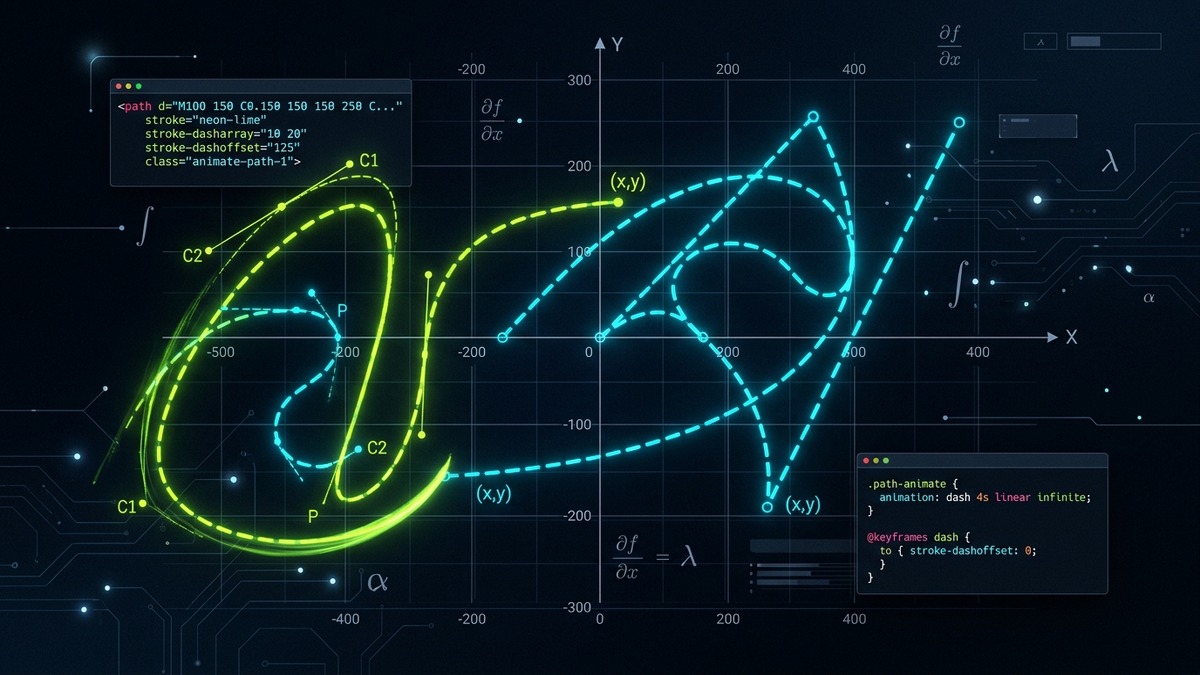
Interactive SVG Stroke Animation Studio & Path Inspector
Experiment with real SVG curves, adjust dash parameters, toggle animation directions, inspect computed length values, and export clean production code.
SVG Stroke Motion Lab
Live Interactive Simulator
Computed Length
212.8px
Dash Array
213 213
Dash Offset
0.0px
/* Pure CSS Keyframe Animation */
1. The Anatomy of SVG Stroke Dash Properties
In vector graphics rendering, a line stroke is fundamentally a 1-dimensional mathematical path rasterized across pixels according to an optical stroke width and styling rules. The SVG 1.1 and SVG 2 specifications expose four distinct attributes that govern dashed line rasterization:
| Property | SVG Attribute | CSS Equivalent | Engineering Function & Behavior |
|---|---|---|---|
| Dash Pattern | stroke-dasharray |
stroke-dasharray |
Defines the alternating pattern of solid dash lengths and empty gap lengths. Accepts comma- or space-separated numbers or percentages. |
| Pattern Offset | stroke-dashoffset |
stroke-dashoffset |
Defines the distance into the dash pattern at which rendering begins. Positive shifts move the pattern backward along the curve. |
| Line Caps | stroke-linecap |
stroke-linecap |
Controls the shape of dash endpoints: butt (flush), round (semicircle), or square (projecting box). |
| Normalized Length | pathLength |
None (SVG XML only) | Overrides the author's coordinate computation, scaling all dash measurements to an arbitrary user-defined integer or float. |
When you provide an odd number of values to stroke-dasharray, the browser automatically duplicates the sequence to yield an even count. For instance, declaring stroke-dasharray="10" is internally expanded by browser rasterizers to stroke-dasharray="10 10" (10 pixels of solid stroke followed by 10 pixels of transparent void).
Mathematical Odd-List Expansion Rule
stroke-dasharray: [d1, g1, d2] => [d1, g1, d2, d1, g1, d2]
When an odd sequence is declared, the cycle is mirrored once so that dash and gap parity matches across infinite coordinate repetition.
2. The Line-Drawing Trick Demystified: Mathematical Mechanics
To produce the illusion that a pen or laser is tracing a vector shape from start to finish, we exploit three continuous boundary conditions of stroke-dasharray and stroke-dashoffset:
- Step 1: Calculate the total perimeter or curve length (L) of the target vector element. For a custom bezier curve or complex icon path, this length is non-trivial and must match the precise arc integral along the parametric splines.
- Step 2: Set the dash array to equal the full length:
stroke-dasharray: L L;. This partitions the path into exactly one massive visible stroke segment of length L, followed by one equally massive transparent gap of length L. - Step 3: Shift the dash completely out of the viewport frame:
stroke-dashoffset: L;. Because the offset shifts the starting point forward by L, the visible dash is pushed entirely off the visible curve, leaving only the transparent gap covering the path. The graphic appears completely invisible. - Step 4: Animate the offset back to zero:
stroke-dashoffset: 0;. As the offset decreases smoothly from L to 0 over time, the solid dash is pulled onto the geometry from the origin to the terminus, simulating organic creation.
Continuous Path Offset Transformation
offset(t) = L * (1.0 - ease(t / duration))
At time t = 0, offset = L (0% revealed). At time t = duration, offset = 0 (100% revealed).
Reversing the animation is equally straightforward: transitioning the offset from 0 to -L or back to L causes the stroke to retract, producing clean erasing or unloading transitions.
3. Calculating Path Length: JavaScript getTotalLength() vs pathLength="1"
Historically, web developers were forced to execute client-side JavaScript on page load to measure every path before triggering animations:
// Traditional Runtime JavaScript Measurement
const path = document.querySelector('#signaturePath');
const totalLength = path.getTotalLength(); // e.g. 542.784px

path.style.strokeDasharray = `${totalLength} ${totalLength}`;
path.style.strokeDashoffset = `${totalLength}`;

// Triggering layout repaint before applying transition
path.getBoundingClientRect();
path.style.transition = 'stroke-dashoffset 2s cubic-bezier(0.4, 0, 0.2, 1)';
path.style.strokeDashoffset = '0';
While getTotalLength() is mathematically accurate down to floating-point subpixels, it incurs two major architectural drawbacks:
- Layout Thrashing / Reflow Overhead: Invoking
getTotalLength()on complex documents forces the browser layout engine to synchronously calculate bezier arc lengths, stalling the main JavaScript thread during initial page load. - Flash of Unstyled Content (FOUC): Before JavaScript executes, the SVG path renders fully visible on screen. It then abruptly disappears as JavaScript injects the dash offset, only to start animating a frame later.
The Modern SVG2 Solution: The pathLength Attribute
The modern, best-practice approach adopted by senior engineers in 2026 relies on the SVG pathLength XML attribute. By declaring pathLength="1" directly in the SVG markup, you normalize the curve's internal coordinate math regardless of its actual pixel dimensions:
<!-- Zero-JS Normalized Path in HTML -->
<svg viewBox="0 0 24 24" width="64" height="64" fill="none" stroke="currentColor" stroke-width="2">
  <path
    pathLength="1"
    class="draw-path"
    d="M12 2L2 7l10 5 10-5-10-5zM2 17l10 5 10-5M2 12l10 5 10-5"
  />
</svg>

<style>
  .draw-path {
    stroke-dasharray: 1;
    stroke-dashoffset: 1;
    animation: revealPath 1.8s cubic-bezier(0.16, 1, 0.3, 1) forwards;
  }

  @keyframes revealPath {
    to {
      stroke-dashoffset: 0;
    }
  }
</style>
With pathLength="1", the browser handles all unit scaling internally inside the C++ rendering pipeline. You never write a single line of JavaScript measurement code, and the animation starts rendering on the very first painted frame.
4. Pure CSS Keyframe Implementations: Revealing, Erasing & Pulse Loops
Depending on the user interface context, path animations fulfill different psychological roles. Here are the three primary keyframe patterns used in production web applications:
Pattern A: One-Shot Status Reveal (Checkmark, Success State, Modal Entry)
For confirmations and micro-interactions, the stroke should draw once and remain permanently visible with zero layout recalculation:
@keyframes strokeDrawCheck {
  0% {
    stroke-dashoffset: 1;
    opacity: 0;
  }
  15% {
    opacity: 1;
  }
  100% {
    stroke-dashoffset: 0;
    opacity: 1;
  }
}

.success-check-path {
  stroke-dasharray: 1;
  stroke-dashoffset: 1;
  animation: strokeDrawCheck 800ms cubic-bezier(0.65, 0, 0.35, 1) forwards;
}
Pattern B: Infinite Cyclic Pulse (Loading Spinners, Radar Sweeps)
For indeterminate background activity, you can combine rotating the entire viewBox container while contracting and expanding the stroke dash offset:
@keyframes cyclicSpinnerDash {
  0% {
    stroke-dasharray: 0.1 0.9;
    stroke-dashoffset: 0;
  }
  50% {
    stroke-dasharray: 0.7 0.3;
    stroke-dashoffset: -0.4;
  }
  100% {
    stroke-dasharray: 0.1 0.9;
    stroke-dashoffset: -1;
  }
}

.spinner-ring {
  stroke-dasharray: 0.1 0.9;
  animation: cyclicSpinnerDash 1.5s ease-in-out infinite;
  transform-origin: center;
}
Warning: Avoid Animating stroke-width Simultaneously
Animating both stroke-dashoffset and stroke-width inside the same keyframe loop invalidates browser raster tiles on every frame, forcing CPU path tesselation. Keep stroke-width constant or handle line-width changes via scale transforms.
5. Multi-Path Orchestration: Staggered Delays & Compound Icons
Real-world user interface icons from design systems like Lucide, Tabler, Phosphor, or IconStash rarely consist of a single continuous <path>. Instead, an icon typically comprises multiple compound strokes: an outer enclosure, an internal glyph, and auxiliary accent marks.
Animating all paths simultaneously creates a chaotic visual blur. High-converting SaaS interfaces employ staggered choreography, where secondary details begin drawing only after primary structural lines have established the visual silhouette:
<!-- Multi-Element Technical Icon -->
<svg viewBox="0 0 24 24" class="stagger-icon" fill="none" stroke="currentColor" stroke-width="2">
  <!-- Step 1: Base Shield -->
  <path pathLength="1" class="step-1" d="M12 22s8-4 8-10V5l-8-3-8 3v7c0 6 8 10 8 10z"/>
  <!-- Step 2: Inner Lock Body -->
  <rect pathLength="1" class="step-2" x="8" y="11" width="8" height="6" rx="1"/>
  <!-- Step 3: Lock Shackle -->
  <path pathLength="1" class="step-3" d="M10 11V9a2 2 0 0 1 4 0v2"/>
</svg>

<style>
  .stagger-icon path,
  .stagger-icon rect {
    stroke-dasharray: 1;
    stroke-dashoffset: 1;
    animation: drawSegment 700ms cubic-bezier(0.2, 0.8, 0.2, 1) forwards;
  }

  .step-1 { animation-delay: 0ms; }
  .step-2 { animation-delay: 250ms; }
  .step-3 { animation-delay: 500ms; }

  @keyframes drawSegment {
    to { stroke-dashoffset: 0; }
  }
</style>
6. Modern Web Animations API (WAAPI) & CSS Scroll-Driven Animations
As frontend architectures move away from bloated JavaScript animation libraries like GreenSock (GSAP) to minimize bundle sizes, native browser APIs offer unparalleled performance and control:
Interactive Control with the Web Animations API
WAAPI provides direct programmatic access to the browser's compositing thread, allowing play, pause, reverse, playback rate adjustments, and seekable scrubbing without external runtime dependencies:
const target = document.querySelector('#tracePath');
target.setAttribute('pathLength', '1');

// Initialize native browser animation player
const strokePlayer = target.animate(
  [
    { strokeDashoffset: 1, opacity: 0.2 },
    { strokeDashoffset: 0, opacity: 1 }
  ],
  {
    duration: 1400,
    easing: 'cubic-bezier(0.25, 1, 0.5, 1)',
    fill: 'forwards'
  }
);

// Scrub animation based on mouse move or slider input
function setProgress(percent) {
  strokePlayer.currentTime = percent * 1400;
  strokePlayer.pause();
}
Scroll-Driven Vector Reveals (CSS scroll() Timeline)
In modern Chromium and WebKit browsers, you can bind SVG stroke drawing directly to the user's scroll progress through a section using zero lines of JavaScript:
@keyframes scrollDrawProgress {
  from { stroke-dashoffset: 1; }
  to { stroke-dashoffset: 0; }
}

.scroll-vector-path {
  stroke-dasharray: 1;
  stroke-dashoffset: 1;
  /* Syncs path drawing to the scroll position of the viewport */
  animation: scrollDrawProgress linear both;
  animation-timeline: view();
  animation-range: entry 10% cover 60%;
}
7. React, Next.js & Framer Motion Implementation Patterns
In modern React, Next.js, and TypeScript ecosystems, managing SVG stroke animations is streamlined through declarative component wrappers. Here is a production-ready React component with Framer Motion that handles intersection observation, reduced-motion accessibility preferences, and dynamic theming:
'use client';

import React from 'react';
import { motion, useReducedMotion } from 'framer-motion';

interface AnimatedVectorIconProps {
  className?: string;
  size?: number;
  color?: string;
}

export const AnimatedCheckShield: React.FC<AnimatedVectorIconProps> = ({
  className = '',
  size = 48,
  color = 'currentColor'
}) => {
  const shouldReduceMotion = useReducedMotion();

  // Instant full opacity if user prefers reduced motion
  const pathVariants = {
    hidden: { pathLength: 0, opacity: shouldReduceMotion ? 1 : 0 },
    visible: (customDelay: number) => ({
      pathLength: 1,
      opacity: 1,
      transition: shouldReduceMotion
        ? { duration: 0 }
        : {
            pathLength: { delay: customDelay, duration: 0.8, ease: [0.16, 1, 0.3, 1] },
            opacity: { delay: customDelay, duration: 0.1 }
          }
    })
  };

  return (
    <svg
      width={size}
      height={size}
      viewBox="0 0 24 24"
      fill="none"
      stroke={color}
      strokeWidth={2}
      strokeLinecap="round"
      strokeLinejoin="round"
      className={className}
      role="img"
      aria-label="Security verified"
    >
      <motion.path
        d="M12 22s8-4 8-10V5l-8-3-8 3v7c0 6 8 10 8 10z"
        variants={pathVariants}
        initial="hidden"
        whileInView="visible"
        viewport={{ once: true, amount: 0.5 }}
        custom={0}
      />
      <motion.path
        d="m9 12 2 2 4-4"
        variants={pathVariants}
        initial="hidden"
        whileInView="visible"
        viewport={{ once: true, amount: 0.5 }}
        custom={0.4}
      />
    </svg>
  );
};
8. Performance Benchmarks: GPU Acceleration & Render Cost
A frequent mistake in frontend performance engineering is assuming that vector animations are inherently lightweight because SVG file sizes are small. In reality, browser rendering engines (Blink, Gecko, WebKit) must convert mathematical vector curves into raster bitmaps before sending them to the display buffer.
When you animate stroke-dashoffset, the browser must re-rasterize the visible stroke pixels on every single animation frame unless specific rendering conditions are met:
| Animation Strategy | Frame Rate (60Hz / 120Hz) | Main Thread Cost | GPU Texture Upload | Memory Overhead |
|---|---|---|---|---|
| Raw stroke-dashoffset (Unoptimized) | 52 - 58 FPS (Occasional drops) | 2.8ms / frame (Continuous Paint) | High (Repaints raster tile) | Minimal (< 2 MB) |
| stroke-dashoffset + will-change | 60 / 120 FPS (Smooth lock) | 0.3ms / frame (Composited) | One-time texture raster | Low (~4 MB GPU VRAM) |
| transform scale/rotate (Comparison) | 120 FPS (Ultra-smooth) | 0.1ms / frame (Pure GPU Transform) | Zero repaint | Minimal (< 1 MB) |
| JS RequestAnimationFrame loop | 40 - 55 FPS (Stutter under load) | 4.5ms / frame (Script + Paint) | High (Continuous DOM mutation) | Moderate (~8 MB) |
To ensure 120Hz fluid rendering on mobile devices and ProMotion displays, apply will-change: stroke-dashoffset; directly to the animated path elements, and avoid grouping heavy SVG filters (like feGaussianBlur) onto the same animated layer.
9. Cross-Browser Quirks & Safari/WebKit End-Cap Bug Solutions
When deploying SVG stroke animations to millions of users across iOS Safari, macOS WebKit, and Android Chrome, subtle cross-engine rendering discrepancies will surface unless defensive CSS is implemented:
1. The Round End-Cap "Ghost Dot" Bug
If you specify stroke-linecap: round, the browser renders a hemisphere extending past the mathematical end of the stroke by half the stroke width. Even when stroke-dashoffset equals the full path length, this cap remains visible as a stray dot at the curve origin.
Fix: Offset the dash by an extra pixel, or animate the stroke-width from 0 to target width during the first 5% of the timeline:
/* Defensive Ghost Dot Eraser */
.path-round-fix {
  stroke-linecap: round;
  /* Push offset 2px beyond computed length to hide the circular cap */
  stroke-dashoffset: calc(100% + 2px);
}
2. iOS Safari Zero-Length Clipping
In certain versions of mobile Safari, paths with pathLength="1" can experience precision truncation if the parent SVG element has width: 0 or height: 0 during initial flexbox layout computation.
Fix: Always declare an explicit aspect ratio and viewBox on the root SVG element, or specify contain: paint; in CSS.
Frequently Asked Questions
What is the default value of preserveAspectRatio in SVG?
The default value is xMidYMid meet. This instructs the browser to scale the internal viewBox uniformly so the entire graphic fits inside the container without clipping, centering it along both axes.
How does the SVG stroke-dasharray and stroke-dashoffset animation trick work?
The line-drawing trick works by setting stroke-dasharray equal to the total pixel length of the SVG path (calculated via path.getTotalLength()), creating a dash as long as the entire path followed by an equally long empty gap. By initially setting stroke-dashoffset equal to that same path length, the solid dash is shifted completely out of view. Animating stroke-dashoffset to zero progressively pulls the solid dash back along the curve, creating the visual illusion of a pen drawing the line.
How do you calculate the exact total length of an SVG path?
In JavaScript, invoke element.getTotalLength() on any SVGGeometryElement (such as path, polygon, polyline, line, circle, or rect). This returns the precise float length of the curve in user coordinate units. In modern CSS and SVG2, you can also set the pathLength attribute to a normalized constant value (such as pathLength='1' or pathLength='100'), which forces the browser to scale the path coordinate math so you can animate dasharray and dashoffset in CSS without prior JavaScript measurement.
Can you animate stroke-dasharray and stroke-dashoffset purely in CSS without JavaScript?
Yes. If you declare pathLength='1' on the SVG element in your HTML, you can write pure CSS keyframes where stroke-dasharray: 1 1 and stroke-dashoffset animates from 1 to 0. Alternatively, you can measure the path length once during development using DevTools console ($0.getTotalLength()) and hardcode the pixel length into your CSS styles.
Why does an animated SVG stroke glitch or jump in Safari / WebKit?
WebKit has historical subpixel rendering bugs when stroke-dashoffset reaches exactly zero or exceeds the computed path length. Rounding errors can leave a 0.5px hairline gap. To fix this, developers set stroke-dasharray to (length + 1) and animate stroke-dashoffset to -1, ensuring the dash overlaps the end points. Additionally, setting will-change: stroke-dashoffset forces GPU composition and prevents paint stuttering on iOS.
What is the difference between stroke-linecap: round and butt during drawing animations?
stroke-linecap: round places a semicircular cap extending past the stroke coordinates by half the stroke-width. When stroke-dashoffset equals the total path length, a round cap will remain visible as a small dot at the origin even when the dash is supposed to be hidden. To prevent this dot artifact, either animate stroke-dashoffset past the path length by an extra half-stroke-width, toggle stroke-width from 0, or use stroke-linecap: butt until the draw begins.
How do you animate SVG stroke drawing on scroll with pure CSS?
Modern browsers support CSS Scroll-Driven Animations. By declaring animation-timeline: scroll() and animation-range: entry 0% cover 50% on the SVG path with a keyframe transitioning stroke-dashoffset from 1 to 0 (combined with pathLength='1'), the path draws dynamically as the user scrolls through the viewport without any scroll listener scripts or requestAnimationFrame overhead.
Final Developer Blueprint
Mastering SVG stroke dash animation transforms static user interfaces into tactile, engaging digital products. Whether creating micro-interaction checkmarks or full architectural product schematics, the key to production reliability is eliminating runtime JavaScript measurement in favor of pathLength="1" and hardware-accelerated CSS keyframes.