Executive Architectural Summary: Vector gradients give UI icons, brand emblems, and interactive dashboards luminous visual depth that flat fills cannot match. However, implementing SVG gradients in modern frontend workflows presents critical architectural traps:
- The Catastrophic ID Collision Bug: Hardcoded
id="gradient"attributes cause multi-instance icons to conflict or render as solid black silhouettes under Next.js Server Components and client-side hydration. - Coordinate Unit Misalignments: Confusing
gradientUnits="objectBoundingBox"withuserSpaceOnUsecauses diagonal angles to distort on non-square icons. - CSS Custom Property Theming: Hardcoded stop colors prevent dark mode switching; modern systems map
stop-color: var(--token)directly to theme layers. - Animation Performance: Animating stop offsets on GPU-accelerated layers enables 60 FPS skeleton shimmer loaders without runtime JavaScript overhead.
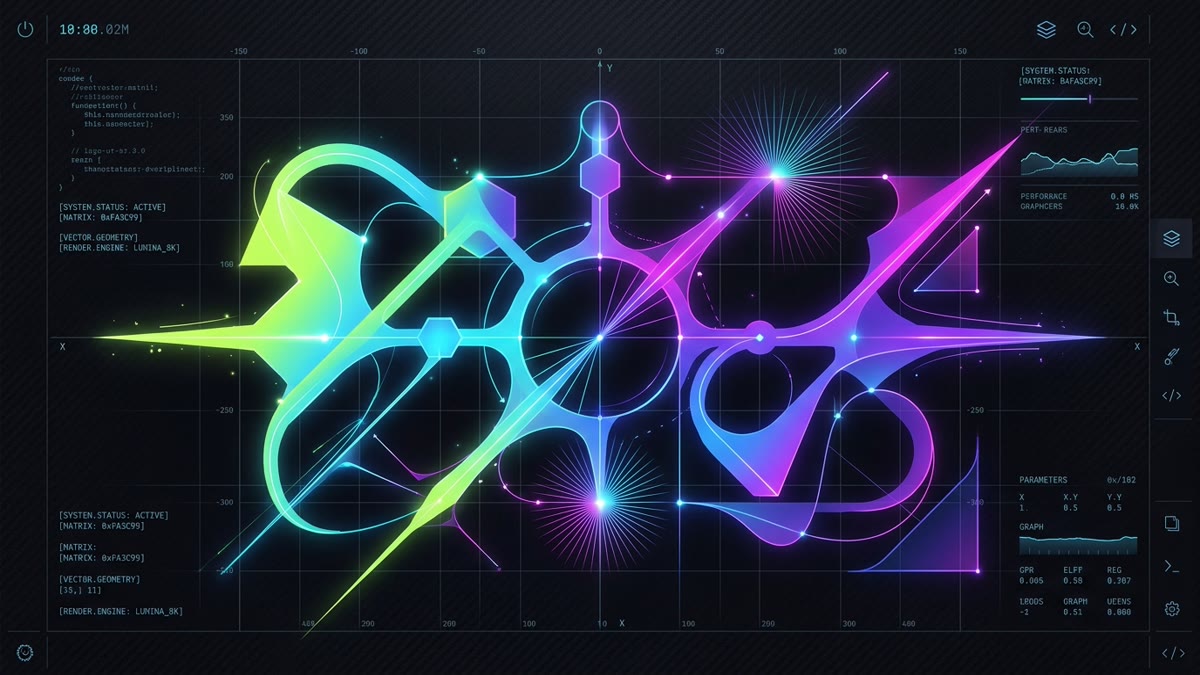
<!-- Code will render here -->1. The Anatomy of SVG Gradients: Linear vs. Radial
Unlike raster graphics (JPEG/PNG) where gradients are baked into pixel color values, SVG gradients are mathematical paint servers defined inside an SVG's <defs> block. Once defined with a unique id, they can be referenced by any vector element using the url(#id) functional notation.
SVG 2 defines two primary gradient primitives:
<linearGradient>: Interpolates color stops along a straight linear axis defined by start coordinates(x1, y1)and end coordinates(x2, y2).<radialGradient>: Interpolates color stops outward in concentric circular or elliptical wavefronts defined by a center point(cx, cy), radiusr, and an optional focal point(fx, fy).
<!-- Basic Linear Gradient Definition -->
<svg viewBox="0 0 100 100" xmlns="http://www.w3.org/2000/svg">
  <defs>
    <linearGradient id="brandGrad" x1="0%" y1="0%" x2="100%" y2="100%">
      <stop offset="0%" stop-color="#C1DD2D" stop-opacity="1" />
      <stop offset="100%" stop-color="#06B6D4" stop-opacity="1" />
    </linearGradient>
  </defs>
  <rect width="100" height="100" rx="16" fill="url(#brandGrad)" />
</svg>
2. Coordinate Systems Decoded: objectBoundingBox vs. userSpaceOnUse
The single most confusing attribute in SVG gradient authoring is gradientUnits. It dictates the coordinate space in which x1, y1, x2, y2 (or cx, cy, r) are measured:
| Attribute Value | Coordinate Basis | Typical Range | Scaling Behavior on Resize | Ideal Use Case |
|---|---|---|---|---|
| objectBoundingBox (Default) |
Relative to target shape bounding box | 0.0 to 1.0 or 0% to 100% |
Stretches and skews proportionally with the element | Self-contained UI icons, buttons, single vector glyphs |
| userSpaceOnUse | Absolute SVG viewport coordinate grid | Pixel units matching viewBox (e.g. 0 to 24) |
Fixed in canvas space; does not deform if shape changes shape | Multi-element seamless backgrounds, charts, fixed isometric scenes |
The Aspect Ratio Distortion Gotcha: When using objectBoundingBox on a non-square element (such as a 200px × 50px banner), a diagonal linear gradient specified as x1="0%" y1="0%" x2="100%" y2="100%" does not render at 45 degrees. The gradient vector is scaled non-uniformly by the 4:1 aspect ratio, resulting in an angle of roughly 14 degrees. If you require a strict geometric angle across non-square shapes, you must either calculate trigonometric coordinates or apply a gradientTransform="rotate(45)".
3. The React & Next.js ID Collision Trap
In modern component-driven architectures (React, Vue, Svelte, Next.js App Router), hardcoded IDs inside SVGs represent an insidious, hard-to-debug bug. Consider an icon component written like this:
The Broken Anti-Pattern: Hardcoded SVG IDs in Components
If you render <SparkleIcon /> ten times in a sidebar, your HTML document now contains ten distinct elements with id="sparkle-grad". Because the DOM specification requires unique IDs, browsers bind all fill="url(#sparkle-grad)" references to the very first instance. When the first instance unmounts during a route transition, every other icon turns pitch black!
Here is the production-hardened solution using React 19 / 18 useId():
import React, { useId } from 'react';

interface GradientIconProps extends React.SVGProps<SVGSVGElement> {
  size?: number;
}

export const SparkleIcon: React.FC<GradientIconProps> = ({ size = 24, ...props }) => {
  // Generates a unique, collision-proof ID safe across SSR hydration
  const rawId = useId();
  const gradId = `sparkle-grad-${rawId.replace(/:/g, '')}`;

  return (
    <svg
      viewBox="0 0 24 24"
      width={size}
      height={size}
      fill="none"
      xmlns="http://www.w3.org/2000/svg"
      {...props}
    >
      <defs>
        <linearGradient id={gradId} x1="0%" y1="0%" x2="100%" y2="100%">
          <stop offset="0%" stopColor="#C1DD2D" />
          <stop offset="100%" stopColor="#06B6D4" />
        </linearGradient>
      </defs>
      <path
        d="M12 2L15 9L22 12L15 15L12 22L9 15L2 12L9 9L12 2Z"
        fill={`url(#${gradId})`}
        stroke={`url(#${gradId})`}
        strokeWidth="1.5"
        strokeLinejoin="round"
      />
    </svg>
  );
};
4. CSS Custom Properties inside Gradient Stops
One of the greatest advantages of inline SVG over static bitmap textures is full interoperability with CSS custom properties. Rather than duplicating gradient definitions for light mode, dark mode, and high-contrast themes, you can bind stop colors to CSS tokens:
:root {
  --icon-grad-start: #4D6300;
  --icon-grad-end: #0284C7;
  --icon-grad-opacity: 0.9;
}

html[data-theme="dark"] {
  --icon-grad-start: #C1DD2D;
  --icon-grad-end: #06B6D4;
  --icon-grad-opacity: 1;
}

/* In your SVG defs */
<linearGradient id="themedGrad" x1="0" y1="0" x2="1" y2="1">
  <stop offset="0%" style="stop-color: var(--icon-grad-start); stop-opacity: var(--icon-grad-opacity);" />
  <stop offset="100%" style="stop-color: var(--icon-grad-end); stop-opacity: var(--icon-grad-opacity);" />
</linearGradient>
5. Radial Gradients & 3D Spherical Lighting (fx, fy)
A standard radial gradient radiates symmetrically from the center point (cx, cy). However, to create authentic 3D sphere highlights, realistic button glosses, or app store badges, you can decouple the focal point (fx, fy) from the center:
<radialGradient
  id="sphere3D"
  cx="50%" cy="50%" r="50%"
  fx="30%" fy="30%"
>
  <!-- Specular reflection hot spot -->
  <stop offset="0%" stop-color="#FFFFFF" stop-opacity="0.9" />
  <!-- Base vibrant brand tint -->
  <stop offset="45%" stop-color="#C1DD2D" />
  <!-- Deep shadow ambient occlusion at perimeter -->
  <stop offset="100%" stop-color="#3A4800" />
</radialGradient>

<circle cx="60" cy="60" r="50" fill="url(#sphere3D)" />
6. Applying Gradients to Stroke Outlines & Progress Rings
SVG gradients are not restricted to fill. You can paint vector strokes directly with stroke="url(#gradientId)". This is the industry-standard method for rendering luminous cyberpunk borders, circular dashboard progress meters, and dynamic radar dials:
<!-- Dynamic SVG Circular Progress Ring -->
<svg viewBox="0 0 120 120" width="120" height="120">
  <defs>
    <linearGradient id="progressGrad" x1="0%" y1="100%" x2="100%" y2="0%">
      <stop offset="0%" stop-color="#C1DD2D" />
      <stop offset="100%" stop-color="#10B981" />
    </linearGradient>
  </defs>
  <!-- Background track -->
  <circle cx="60" cy="60" r="50" fill="none" stroke="#262626" stroke-width="8" />
  <!-- Glowing Gradient Meter -->
  <circle
    cx="60" cy="60" r="50"
    fill="none"
    stroke="url(#progressGrad)"
    stroke-width="8"
    stroke-linecap="round"
    stroke-dasharray="314.16"
    stroke-dashoffset="78.54"
    transform="rotate(-90 60 60)"
  />
</svg>
7. High-Performance Gradient Animations with Pure CSS
Modern browsers allow animating gradients without touching the JavaScript main thread. There are two primary techniques:
A. Animating Stop Offsets for Shimmer Skeleton Loaders
By translating the position of a multi-stop gradient containing a white highlight band, you can produce zero-dependency skeleton loading cards:
@keyframes shimmerSlide {
  0% { transform: translateX(-100%); }
  100% { transform: translateX(100%); }
}

.shimmer-rect {
  animation: shimmerSlide 1.8s infinite linear;
}
B. Rotating Gradients via gradientTransform
You can rotate a gradient continuously around its center coordinate using CSS keyframe animations applied directly to the vector wrapper or using the SVG gradientTransform attribute:
@keyframes spinGradient {
  from { transform: rotate(0deg); }
  to { transform: rotate(360deg); }
}

.pulsing-icon {
  transform-origin: center;
  animation: spinGradient 4s linear infinite;
}
8. Next-Gen Display-P3 Wide-Gamut Colors in SVG
Standard sRGB gradients are visually clipped on modern OLED, Liquid Retina, and Apple displays. SVG in 2026 fully supports CSS Color Module Level 4 wide-gamut syntax inside stop-color:
<linearGradient id="p3VibrantGrad" x1="0" y1="0" x2="1" y2="1">
  <!-- Fallback sRGB for legacy clients -->
  <stop offset="0%" stop-color="#C1DD2D" />
  <!-- Ultra-vibrant Display-P3 neon tone -->
  <stop offset="0%" stop-color="color(display-p3 0.78 0.89 0.12)" />
  <stop offset="100%" stop-color="color(display-p3 0.05 0.72 0.88)" />
</linearGradient>
Architectural Takeaways & Golden Rules
- Never duplicate static gradient IDs: Always isolate IDs with
React.useId()or automated prefixing in your icon pipeline. - Match gradientUnits to intent: Use
objectBoundingBoxfor self-contained icons; switch touserSpaceOnUsewhen painting across grouped elements. - Theme with CSS Custom Properties: Keep gradient stops DRY by injecting CSS variables into
stop-colorinstead of cloning entire gradient trees. - Leverage stroke gradients: Replace multi-layer hacky overlays with native
stroke="url(#id)"for borders and progress meters.
Frequently Asked Questions
Why do multiple SVG icons with gradients turn black in React or Next.js?
When SVG icons use hardcoded IDs like id="gradient" inside <linearGradient> definitions, rendering multiple icon instances causes duplicate IDs in the DOM. Browsers resolve url(#gradient) to the first matching element. If that element unmounts or gets cached during SSR, other instances fail to find the gradient paint server and render as solid black silhouettes. The definitive solution is generating scoped IDs using React.useId() or unique prefixes.
What is the difference between gradientUnits="objectBoundingBox" and "userSpaceOnUse"?
gradientUnits="objectBoundingBox" (the default) calculates gradient coordinates as proportional percentages (0 to 1 or 0% to 100%) of the bounding box of the shape being painted. In contrast, userSpaceOnUse maps gradient coordinates directly to the SVG viewport's coordinate space in absolute pixels, allowing a single gradient to span seamlessly across multiple sibling shapes.
Can you use CSS variables inside SVG gradient stops for dark mode theming?
Yes. Inside <stop> elements, you can declare stop-color: var(--color-primary-start) and stop-opacity: var(--color-opacity). When you toggle dark mode or swap theme tokens on an ancestor container, the SVG gradient automatically updates without needing to rebuild or re-render vector nodes.
How do you apply an SVG gradient to a stroke outline rather than a fill?
To apply a gradient to a stroke, set stroke="url(#gradientId)" and fill="none" (or a solid fill color) on the target path or circle. You can combine this with stroke-width and stroke-linecap to create luminous vector outlines, neon borders, and dynamic progress rings.
How do you animate SVG gradients with pure CSS?
You can animate SVG gradients by defining CSS @keyframes that shift stop-color, stop-opacity, or by animating the transform matrix of the gradient using gradientTransform="rotate(...)". For skeleton loading shimmer effects, you can animate the x1 and x2 offsets or translate a linearGradient along the x-axis using CSS transitions or requestAnimationFrame.
What are spreadMethod values in SVG gradients and how do they work?
The spreadMethod attribute controls how the gradient fills areas outside its defined coordinate boundaries (before 0% and after 100%). It accepts pad (default, extends the first and last stop colors outward infinitely), reflect (mirrors the gradient stops in alternating reverse order), and repeat (loops the gradient continuously from beginning to end).