Executive Engineering Summary: The SVG <path> element is the foundational primitive behind virtually every modern web icon, UI glyph, and generative chart. All shape geometry is packed into a single string: the d attribute (path data). Mastering this micro-language unlocks extraordinary capabilities:
- Complete Command Literacy: Demystifying the 10 path commands:
M, L, H, V, C, S, Q, T, A, Z. - Absolute vs. Relative Mastery: When to use uppercase (global coordinate space) versus lowercase (offset deltas that compress SVGO bundles by up to 35%).
- Bézier Curve Mechanics: Controlling tangent handles and curvature continuity across Cubic (
C/c,S/s) and Quadratic (Q/q,T/t) splines. - Arc Flags Decoded: Conquering the 7 parameters of the Elliptical Arc command (
A/a) without trial-and-error guessing. - Compound Cutouts & Winding Rules: Explaining
fill-rule="nonzero"vsfill-rule="evenodd"for hollow donut icons and multi-subpath glyphs.
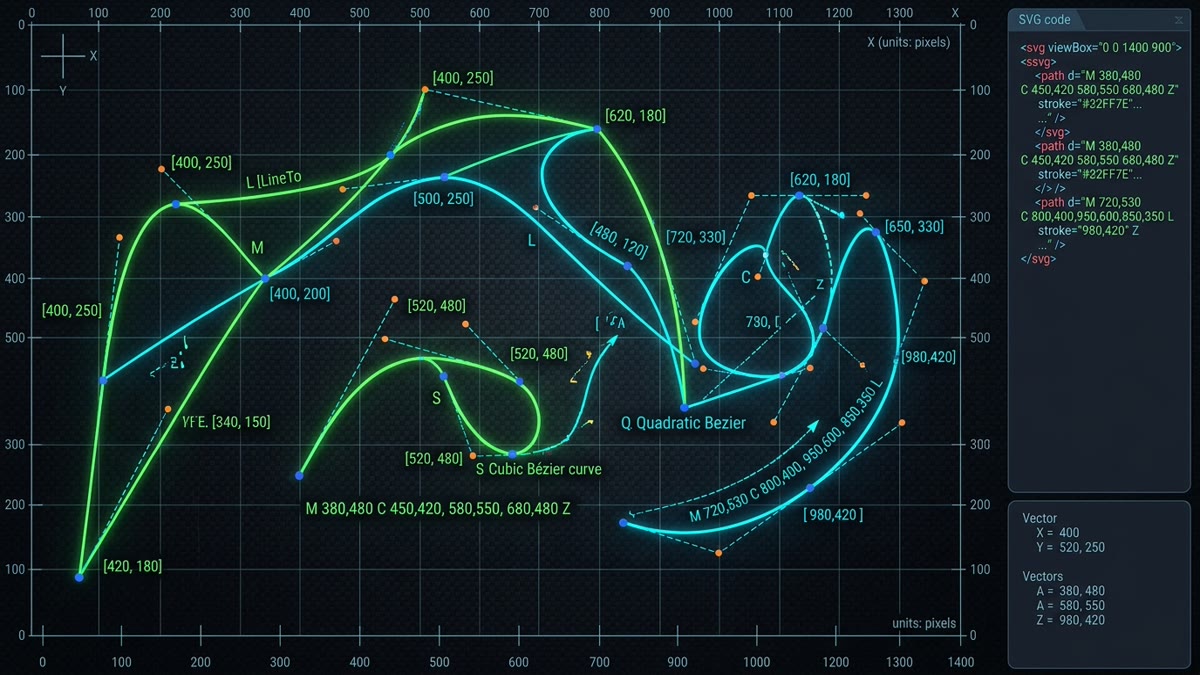
d="M 20 90 C 60 20, 100 20, 120 90 S 180 160, 220 90"1. The Grammar of the d Attribute: Syntax & Rules
The d attribute contains a sequence of path commands followed by coordinate parameters. A path engine parses the string as a virtual drawing pen moving across a 2D Cartesian plane. Unlike high-level primitives (<rect>, <circle>), a single path can contain thousands of lines, curves, subpaths, and holes.
Three essential syntax rules govern the format:
- Coordinate Pairs: Numbers can be separated by commas, spaces, or implied boundary tokens (e.g.,
10,20,10 20, or10-20where the minus sign acts as a natural separator). - Implicit Repetition: If a command letter is followed by multiple sets of coordinates, the command repeats automatically without re-declaring the letter. For instance,
L 10 20 30 40executes two sequential line-to operations. - MoveTo Implicit LineTo: If an
M(orm) command is followed by subsequent coordinate pairs, all subsequent pairs are treated as implicitL(orl) commands.
2. Absolute (Uppercase) vs. Relative (Lowercase) Commands
Every single path command exists in two forms:
| Type | Letter Case | Reference Point | Example | Interpretation |
|---|---|---|---|---|
| Absolute | Uppercase (M, L, C...) |
Global SVG Viewport Origin (0,0) |
M 10 20 L 50 80 |
Move to (10,20), draw line to point (50,80) |
| Relative | Lowercase (m, l, c...) |
Current Pen Position (x, y) |
M 10 20 l 40 60 |
Move to (10,20), draw line +40px right and +60px down |
Optimization Tip: In small icon grids (such as 24 × 24), relative commands allow coordinate deltas between -9 and 9, saving characters by eliminating tens and hundreds digits. Automated build tools like SVGO automatically toggle between uppercase and lowercase to achieve the absolute smallest byte count.
3. Straight-Line Commands: M, L, H, V, and Z
Linear segments form the skeletons of geometric icons, arrows, and borders:
M x y/m dx dy(MoveTo): Lifts the drawing pen and places it at new coordinates without drawing a stroke. Begins a new subpath.L x y/l dx dy(LineTo): Draws a straight line from the current position to(x, y).H x/h dx(Horizontal LineTo): Draws a strictly horizontal line. Only requires the X coordinate, saving bytes overL.V y/v dy(Vertical LineTo): Draws a strictly vertical line. Only requires the Y coordinate.Z/z(ClosePath): Draws an automatic straight line from the current pen location back to the origin coordinate of the current subpath. It also ensures proper corner joins (miter, round, or bevel) between the start and end strokes.
<!-- Drawing a Pixel-Perfect Octagon with H, V, and Z -->
<svg viewBox="0 0 24 24" width="24" height="24" stroke="currentColor" fill="none">
  <path d="M 7 2 H 17 L 22 7 V 17 L 17 22 H 7 L 2 17 V 7 Z" stroke-width="2" />
</svg>
4. Cubic Bézier Curves: C and S Commands
Cubic Bézier curves are the workhorses of organic shapes, smooth rounded UI corners, and typography glyphs. A cubic curve is governed by two control points that act as gravitational attractors:
C x1 y1, x2 y2, x y(x1, y1): Start control point (dictates the tangent direction and acceleration as the curve departs the current position).(x2, y2): End control point (dictates the tangent direction as the curve arrives at the destination).(x, y): The final endpoint on the canvas.
The Smooth Shorthand: S Command
When you chain multiple curves together, ensuring smooth curvature at the joints (called C1 continuity) requires the incoming tangent and outgoing tangent to lie on a straight line. The S command automates this: it omits the first control point, automatically reflecting the second control point of the previous command across the current point.
<!-- Smooth S-Curve: First segment with C, second segment with S -->
<path d="M 20 90 C 60 20, 100 20, 120 90 S 180 160, 220 90" fill="none" stroke="#C1DD2D" stroke-width="3" />
5. Quadratic Bézier Curves: Q and T Commands
Quadratic curves use only one single control point:
Q x1 y1, x yBecause there is only one control handle, quadratic curves cannot form inflection points (an S-shape) in a single segment. However, they are mathematically cheaper for browser GPUs to rasterize and require fewer coordinate bytes. The smooth shorthand is T, which reflects the previous control point just as S does for cubic curves.
6. Elliptical Arcs: The 7 Parameters of the A Command
The Elliptical Arc command (A or a) is the most powerful and misunderstood command in the SVG specification. It requires exactly seven arguments:
A rx ry x-axis-rotation large-arc-flag sweep-flag x y| Param # | Name | Allowed Values | Functional Role |
|---|---|---|---|
| 1 & 2 | rx, ry |
Positive numbers | Horizontal and vertical radii of the underlying ellipse. When rx == ry, it creates a circular arc. |
| 3 | x-axis-rotation |
Degrees (e.g. 0, 45) |
Rotates the ellipse axis relative to the current coordinate system. |
| 4 | large-arc-flag |
0 or 1 |
0 selects the arc traveling ≤ 180°; 1 selects the arc traveling > 180°. |
| 5 | sweep-flag |
0 or 1 |
0 draws counter-clockwise (negative angle); 1 draws clockwise (positive angle). |
| 6 & 7 | x, y |
Coordinates | The final destination point of the arc. |
<!-- Perfect Semi-Circle Arc -->
<path d="M 20 60 A 40 40 0 0 1 100 60" fill="none" stroke="#C1DD2D" stroke-width="4" />
7. Compound Paths & Winding Rules: nonzero vs. evenodd
When an icon contains negative space — such as the center hole of a magnifying glass, the cutout of a padlock, or a keyhole — how does the browser know which side of a path is "inside" (filled) and which is "outside" (transparent)? This is controlled by the fill-rule property:
fill-rule="nonzero"(Default): Calculates winding numbers. The direction in which you draw subpaths matters! If the outer circle is drawn clockwise, an inner circle must be drawn counter-clockwise to create a cutout hole.fill-rule="evenodd": Direction does not matter! A ray is cast outward from any pixel; if it crosses an odd number of path edges, it is filled. If it crosses an even number, it is transparent. This is favored by Figma and modern icon libraries because it eliminates direction-dependent cutout bugs.
Architectural Takeaways & Best Practices
- Prefer H and V for rectilinear lines: Using
HandVcuts coordinate bytes in half compared to fullLcommands. - Embrace S and T for chained curves: Smooth shorthands halve control point data while enforcing smooth curvature transitions.
- Standardize on fill-rule="evenodd" for complex cutouts: Avoids winding direction inverted fill bugs in compound vector icons.
- Use relative commands in build pipelines: Converting coordinates to relative deltas near the origin produces smaller gzipped assets.
Frequently Asked Questions
What is the difference between uppercase and lowercase SVG path commands?
Uppercase path commands (like M, L, C, A) use absolute coordinates positioned relative to the origin (0,0) of the SVG coordinate system. Lowercase path commands (like m, l, c, a) use relative coordinates offset from the current pen position established by the preceding command. Relative commands are frequently used by optimizers like SVGO to reduce byte count.
How does the smooth cubic Bézier command S differ from standard C?
The C command requires two explicit control points and an endpoint: C x1 y1, x2 y2, x y. The smooth S command only takes one control point and an endpoint: S x2 y2, x y. It automatically calculates the first control point as the mathematical reflection of the previous command's second control point, guaranteeing continuous curvature (C1 continuity) with fewer bytes.
What do large-arc-flag and sweep-flag do in the SVG Arc (A) command?
Between any two points, an ellipse can form four different arc curves. The large-arc-flag determines whether the arc travels along the greater arc angle (1 = greater than 180 degrees) or the smaller arc angle (0 = less than or equal to 180 degrees). The sweep-flag determines the drawing direction (1 = positive/clockwise angle, 0 = negative/counter-clockwise angle).
How does fill-rule='evenodd' create hollow donut cutouts in SVG icons?
fill-rule='evenodd' determines whether a point is inside a shape by drawing a ray outward to infinity and counting how many path boundaries it crosses. If the count is odd, the region is filled; if even, it is considered exterior (hollow). This allows creating compound cutouts, eye holes, and donut rings without worrying about clockwise vs counter-clockwise winding order.
Why do SVG optimizers condense path whitespace like 'M10 20L30 40' to 'M10 20 30 40'?
The SVG specification defines implicit command repetition: if a line command L is followed by more coordinate pairs without a new command letter, the parser automatically treats each subsequent pair as an implicit L command. Furthermore, separators between numbers can be omitted when a minus sign or decimal point provides an unambiguous token boundary.
What is the difference between Quadratic (Q) and Cubic (C) Bézier curves in SVG?
A Quadratic Bézier curve (Q) uses a single control point to pull the curve between the start and end coordinates. A Cubic Bézier curve (C) uses two independent control points, enabling inflection points, S-curves, and more expressive aerodynamic contours. Cubic curves require more data but offer superior shape control.